Hash Map
Understanding Hash Maps and their role in efficient data storage and retrieval.
What is a Hash Map?
A hash map is a data structure that lets you store data in key-value pairs. It’s like a dictionary or a phone book, where you can look up a value (like a phone number) using a key (like a person’s name).
What makes hash maps incredibly fast for lookups is their use of a hashing function. This function takes your key and calculates an index to place the value in an underlying array. This is why accessing an element in a hash map has an average time complexity of O(1).
Here’s a visual way to think about it:
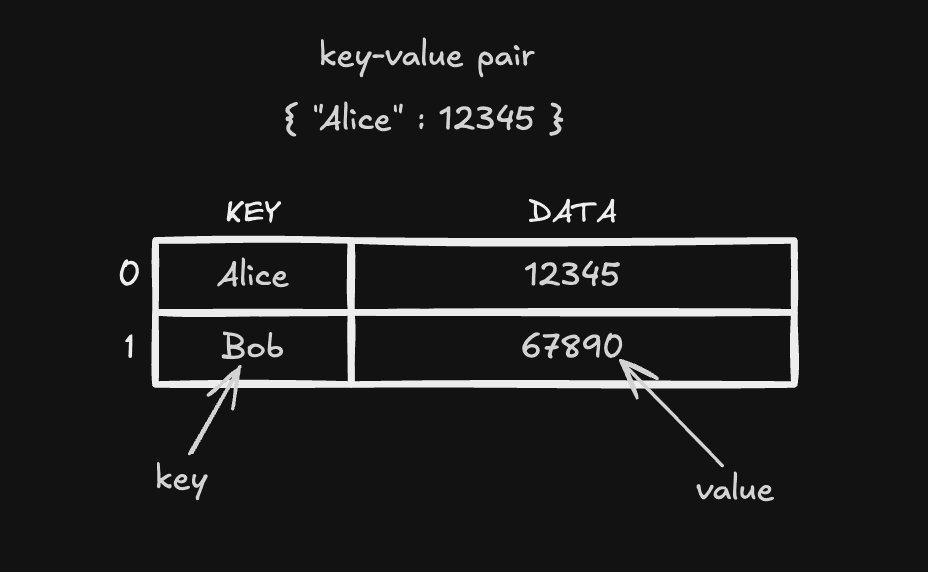
When you store a value:
- The key is passed to the hashing function, which generates a hash (a number).
- This hash determines where in the array the value will be stored.
When you retrieve a value:
- You provide the key.
- The hashing function calculates the same hash.
- The value is retrieved from the corresponding location in the array.
Real-Life Analogy
Think of a hash map as a locker system:
- You have a key (the locker number).
- You use this key to directly open the locker (where the value is stored).
- You don’t need to check all the lockers—just go straight to the one matching the key.
Common Operations
- Insert: Add a key-value pair to the hash map.
O(1) - Search: Retrieve a value using its key.
O(1) - Delete: Remove a key-value pair.
O(1)
Code Examples
Here’s how you can implement and use hash maps in C++, Python, and Java. I’ve included comments to explain what each part of the code does.
#include <iostream>
#include <unordered_map> // Include the library for hash maps

int main() {
    // Create a hash map
    std::unordered_map<std::string, int> phoneBook;

    // Insert key-value pairs
    phoneBook["Alice"] = 12345;
    phoneBook["Bob"] = 67890;

    // Search for a value using a key
    std::cout << "Alice's number: " << phoneBook["Alice"] << std::endl;

    // Check if a key exists
    if (phoneBook.find("Charlie") == phoneBook.end()) {
        std::cout << "Charlie is not in the phone book." << std::endl;
    }

    // Remove a key-value pair
    phoneBook.erase("Alice");

    return 0;
}